Fake Screen Test
Fake Screen Check: How to Identify a Real Screen or a Fake Screen
In the digital world, you may sometimes need to disguise your screen. Whether it is to distract yourself from work or to prank someone, a Fake Screen proves useful. The key is that it does not affect the real system, but only provides a fake display. The user can enable or disable it at their convenience. This is why Fake Screen is a popular choice these days for both security and entertainment.
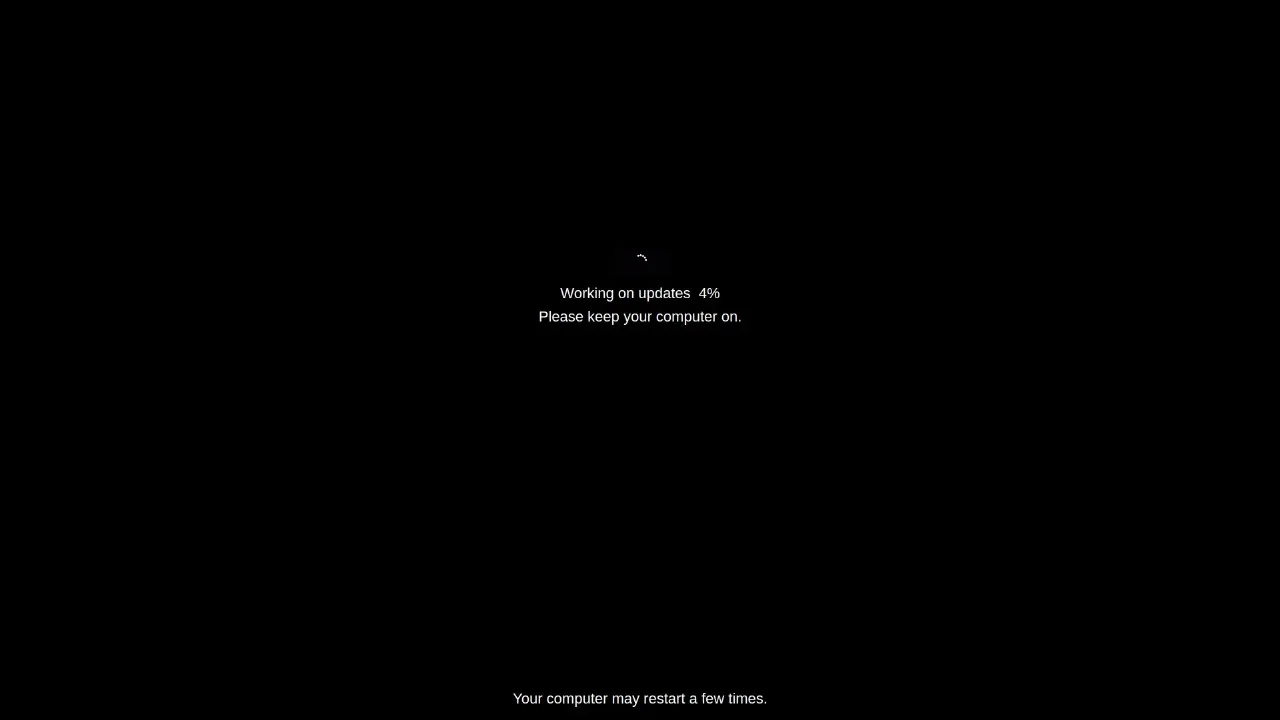
Sometimes it appears the screen is showing something, but it is actually a fake screen. The Fake Screen tool creates a visual on the screen that resembles a drawing, an update message, or an OS installation screen. This is useful when you want to make your screen appear secure or mislead someone.
What is Fake Screen?
Fake Screen is a visual tool that displays a fake system image or message on your screen. Technically, it is a display simulation. It can simulate a Windows or Mac OS installation screen, depending on whether you are using Fake Screen Windows or Fake Screen Mac OS. It can also simulate an update message or error window.
It is graphical in nature and does not affect real system processes. Users can run it from a browser as no installation is required. This makes it a simple, fast, and secure solution. It can make your device appear locked or busy, while the system is actually active. It is also used to distinguish between real and fake screens.
Use Cases of Fake Screen
- Security: For security purposes, when you want to make it appear that the screen is "locked" or "updating."
- Static message display: To display a fake message or static image before the real screen suddenly appears in a presentation.
- Prank or mislead: A Fake Screen Windows is used to mislead or prank someone, such as pretending "Windows is updating" or a "blue screen error."
- Screen sharing: In screen sharing, it is used to make it appear as if you are not active when you are actually working.
- Digital design: In digital art and design practice, it shows which parts are real and which are fake graphics.
A fake screen is also used:
- To demonstrate how a fake screen works as an example in reviews or training sessions.
- In screen testing, to see if the screen can properly display static images.
- To create a "mirror" effect for use in fun tech videos or social media content.
- To pretend that the system is "updating" during a meeting.
- To explain the difference between a fake and real display during training sessions.
- To hide personal information during screen sharing.
- To demonstrate a simulated OS interface in design projects.
- In repair shops, to test whether customers can identify real faults.
- To display simulated visuals for entertainment in social media content and videos.
Who Can Benefit from a Fake Screen
- Office workers who may suddenly need to hide their screen
- Students who want no distractions during their studies
- Security experts who need to maintain privacy
- IT trainers who want to show the difference between a simulated and real screen
- Prank-loving users who want to be humorous
- YouTubers and content creators who want to show fake OS visuals in tech videos
- Designers who need dummy screen visuals
- Repair engineers who provide training or demos to customers
Features of a Fake Screen
- A Fake Screen Windows tool displays a static, fake scene (such as the Windows install screen).
- Supports Windows XP, 10, 11 and Mac OS-specific themes and visualizations to create a realistic effect with fake visuals for different OS versions.
- Users can set only the fake screen without disturbing system statistics.
- It is a purely graphical representation—it does not run any software processes and is completely independent of real system processes.
- The tool can work directly within the browser, requiring no installation and can be easily toggled on and off at any time.
- The fake screen mode will retain the original screen, and personal activities will remain hidden, offering no risk as it only works at the visual level.
- It has a user-friendly interface and quick response.
Advantages of a Fake Screen
- It can instantly create a visual illusion by displaying an impressive fake screen.
- It is a quick and easy solution to hide the real screen content.
- It is perfect for pranks, presentations, or security purposes.
- It works directly from the browser, without installation, and the setup is simple.
- It provides a believable simulated view, simulating different operating systems.
- It gives the user control over when and how the simulated view is activated.
- It is a safe alternative to creating dummy visuals for a training session.
- It does not add any load or risk to the device.
How to Use Fake Screen Tool
- Open the Fake Screen Test tool website in your browser.
- Select the OS or screen (Windows/Mac OS) you want to simulate.
- Click "Start Fake Screen" or the similarity button—the screen will immediately switch to the simulated view(such as an installation message).
- Inspect how convincing the simulated view appears—check the edges, text, and loading effects.
- Exit simulated mode by pressing a button or closing a tab.
- Resume your original screen function.
Pro Tips
- Always select the correct OS, such as Fake Screen Mac OS so the fake screen appears believable.
- Use screen sharing wisely so the purpose is clear.
- Be careful not to harm anyone when pranking.
- While testing, carefully examine the screen to distinguish between the fake and the real screen.
- Take screenshots if necessary to make comparisons easier.
- Be sure to try different experiences on both Mac OS and Windows.
- Use this only for security or training purposes in a professional environment.
- Remember, this is for entertainment and practice purposes, not a real system process.
FAQs
- What is the main purpose of Fake Screen?
It hides the real screen and displays a fake visual to confuse others. It is used for both security and prank purposes.
- Does it support different OS versions?
Yes, visuals are available from Windows XP to Windows 11 and newer versions of Mac OS.
- Can I use it in presentations?
Yes, it is very useful for training and demo sessions. It allows you to easily display fake visuals.
- Does Fake Screen show real errors?
No, it only creates fake error messages or visuals. It has no connection to real system errors.
- How to close Fake Screen?
Select the Exit option on the tool or close the tab, and your real screen will immediately reappear.